
Download Cool Flash Banner Tool – flash banner, banner creation, animation tool, web design, HTML code
Overview
The Cool Flash Banner Tool is a streamlined mobile application designed for users who need to create animated flash banners directly from their Android devices. As a productivity-focused tool, it simplifies the process of designing digital banners for web use, particularly for small businesses, content creators, and web designers who require quick, on-the-go solutions. The app enables users to generate flash banners through a guided, four-step workflow, reducing the complexity typically associated with animation and web development tasks. It is especially suited for individuals who may lack advanced design or coding skills but still need to produce visually engaging banner content.
The app’s purpose lies in bridging the gap between accessibility and functionality in banner creation. By focusing on core elements such as format selection, text input, image integration, visual effects, and HTML code generation, it addresses the need for a lightweight yet effective tool. Real-world use cases include promoting online sales, advertising social media campaigns, or enhancing website visibility through dynamic visuals. Despite its simplicity, the tool holds relevance in the mobile-first digital ecosystem where speed and ease of content creation are critical. The developer, CoolFlash, has positioned this application as a no-frills utility that prioritizes user experience over complex features.
Key Features & Functionality
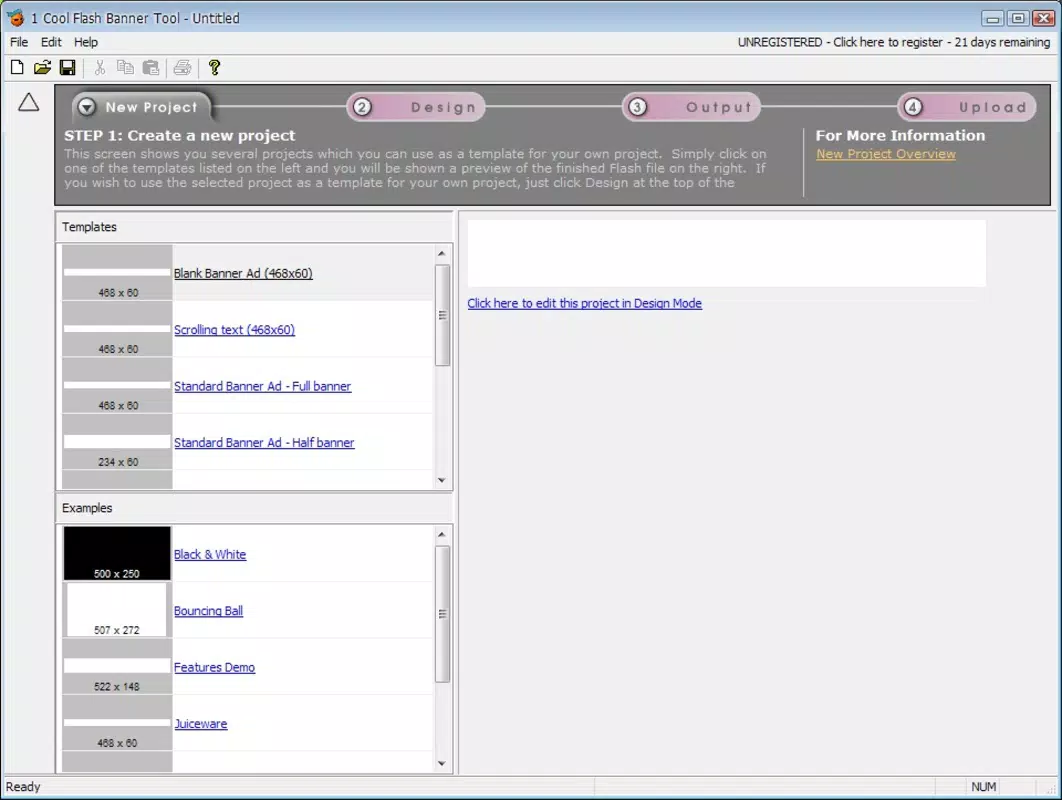
- Four-Step Creation Process: The app guides users through a clear, sequential workflow—from choosing banner dimensions and format to finalizing and saving the output—ensuring a frictionless experience even for beginners.
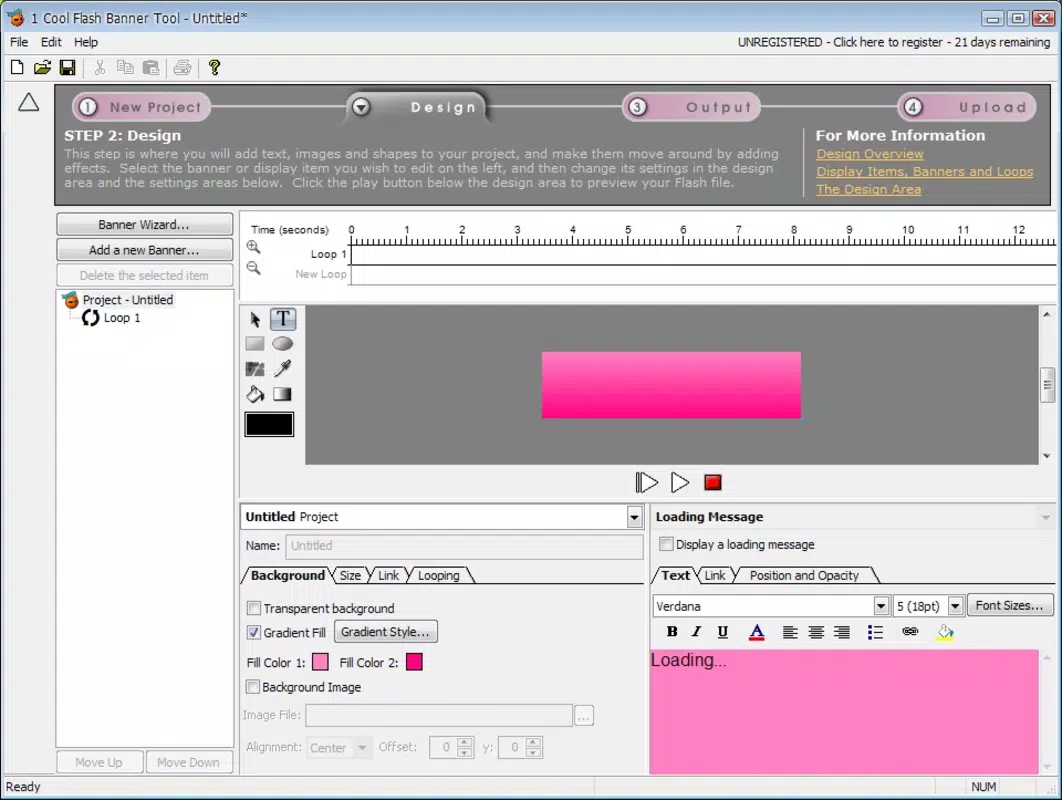
- Customizable Text and Image Integration: Users can input custom text and upload images directly within the app, allowing for personalized banner content tailored to specific marketing messages.
- Visual Effects Library: A selection of built-in animation effects enhances the visual appeal of banners, helping users create dynamic, eye-catching designs without requiring external software.
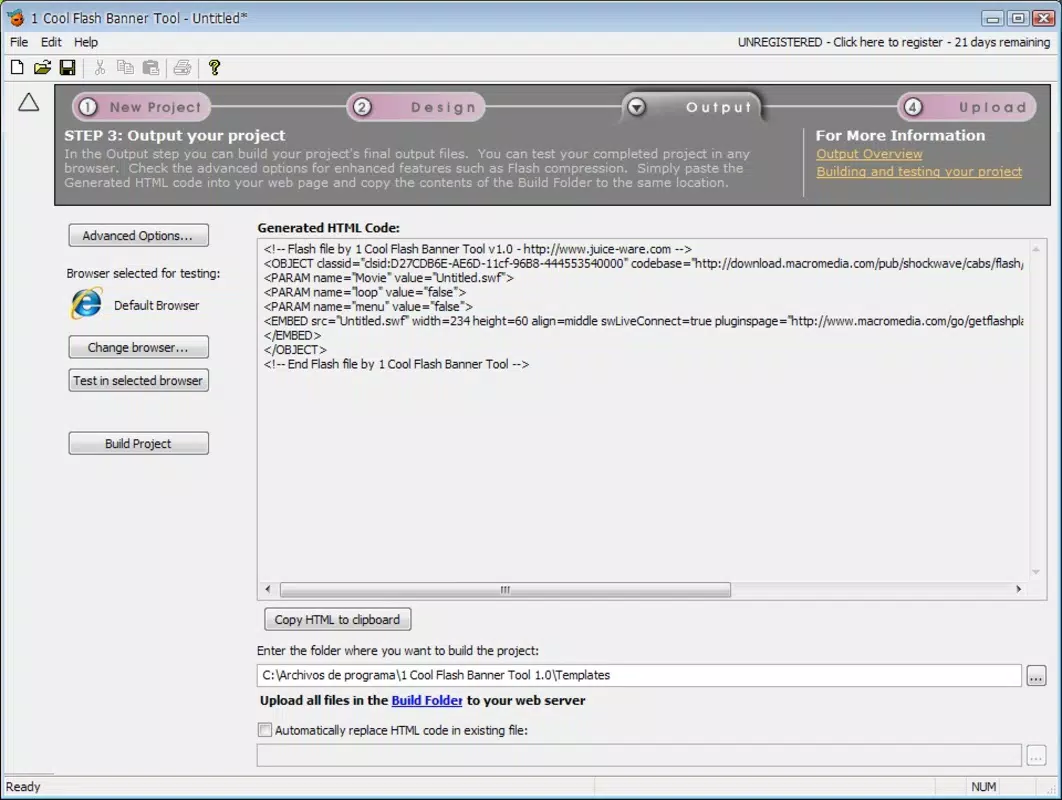
- HTML Code Generation: After design completion, the app automatically generates the necessary HTML code, enabling seamless integration into websites or web platforms.
- Export and Save Functionality: The final banner can be saved in the desired format, facilitating easy reuse or sharing across digital channels.
For example, a small e-commerce seller could use the app to quickly create a promotional banner for a weekend sale by selecting a 300x250 size, adding a product image, applying a fade-in effect, and exporting the HTML code for direct insertion into their site. Similarly, a social media manager might design a campaign-specific banner on their tablet during a remote work session. The app’s focus on efficiency makes it ideal for time-sensitive projects where traditional design tools would be overkill.
Interface, UX & Performance
The user interface of Cool Flash Banner Tool is designed with simplicity and clarity in mind. The layout follows a linear, step-by-step structure that minimizes cognitive load and keeps users focused on each stage of banner creation. Visual cues and intuitive icons support navigation, making it accessible even to those unfamiliar with design software. The app’s minimalist aesthetic reduces visual clutter, allowing users to concentrate on content input and customization.
Navigation is straightforward, with clear progress indicators that show which step is active. The app responds promptly to user inputs, maintaining a smooth experience during text entry, image upload, and effect selection. Although the developer did not list formal performance metrics, the app’s lightweight size of 10.4 MB suggests optimized resource usage, likely ensuring stable operation across mid-range and entry-level Android devices.
Responsiveness appears consistent, with minimal lag reported during typical use cases. Stability is maintained through a focused feature set, reducing the risk of crashes or unexpected behavior. The app’s performance is expected to remain reliable under normal usage conditions, though users on older devices may experience variations not explicitly documented.
Platform Compatibility & Technical Requirements
Cool Flash Banner Tool is available exclusively on the Android platform. The app is compatible with devices running the specified operating system version, though specific minimum OS requirements were not listed by the developer. It has a file size of 10.4 MB, indicating a lightweight installation that does not consume significant storage space. This makes it suitable for use on a wide range of Android devices, including budget smartphones and tablets.
The app is designed for mobile use, which implies it is optimized for touch-based interaction and smaller screen dimensions. While no compatibility details for specific device models were provided, its size and platform focus suggest broad accessibility across the Android ecosystem. Users are advised to ensure their device meets the general requirements for running Android applications, though exact specifications were not disclosed. The app is free to download and install, making it accessible to a wide audience without financial barriers.
Pros and Cons
Pros
- Simple, guided four-step workflow ideal for beginners and non-designers.
- Lightweight design with a small file size of 10.4 MB.
- Direct HTML code generation for immediate web integration.
- Supports text, image, and animation effects within a single app.
- Free to download and use with no in-app purchases or hidden costs.
Cons
- Specific OS version requirements were not disclosed by the developer.
- No information was provided about supported image or file formats.
- Limited to Android platform; no iOS or desktop availability confirmed.
- Functionality is restricted to flash banner creation—no additional design or export options beyond the core workflow.
- Developer did not provide details on update frequency or future feature roadmap.
FAQ
Is Cool Flash Banner Tool safe to download and use?
Yes, the app is free and available through official Android channels. As it does not request unusual permissions and has a small file size, it is considered secure for general use.
Can I use this app on my iOS device?
Currently, the app is only available for Android. There is no confirmed iOS version or compatibility.
What types of files can I use for my banner?
The developer did not specify supported image or file formats. Users are advised to test common formats such as PNG, JPEG, or GIF.
How often is the app updated?
Update frequency was not disclosed by the developer. Users should check the app store for the latest version.
Do I need internet access to use the app?
Based on its offline functionality, the app likely operates without an internet connection after installation. However, no confirmation was provided.
Final Thoughts
Cool Flash Banner Tool delivers a focused, efficient solution for creating animated flash banners directly from Android devices. Its simplicity, combined with essential features like HTML code generation and visual effects, makes it a practical choice for users who need quick, functional designs without the complexity of professional software. While it lacks advanced customization and cross-platform availability, its lightweight nature and zero cost make it highly accessible. The app is best suited for small-scale web projects, digital marketing campaigns, and users with minimal design experience. For those seeking a no-fuss tool to generate banner content on the go, Cool Flash Banner Tool offers a compelling value proposition.
Download Cool Flash Banner Tool now


